Editor score 4.2 / 5

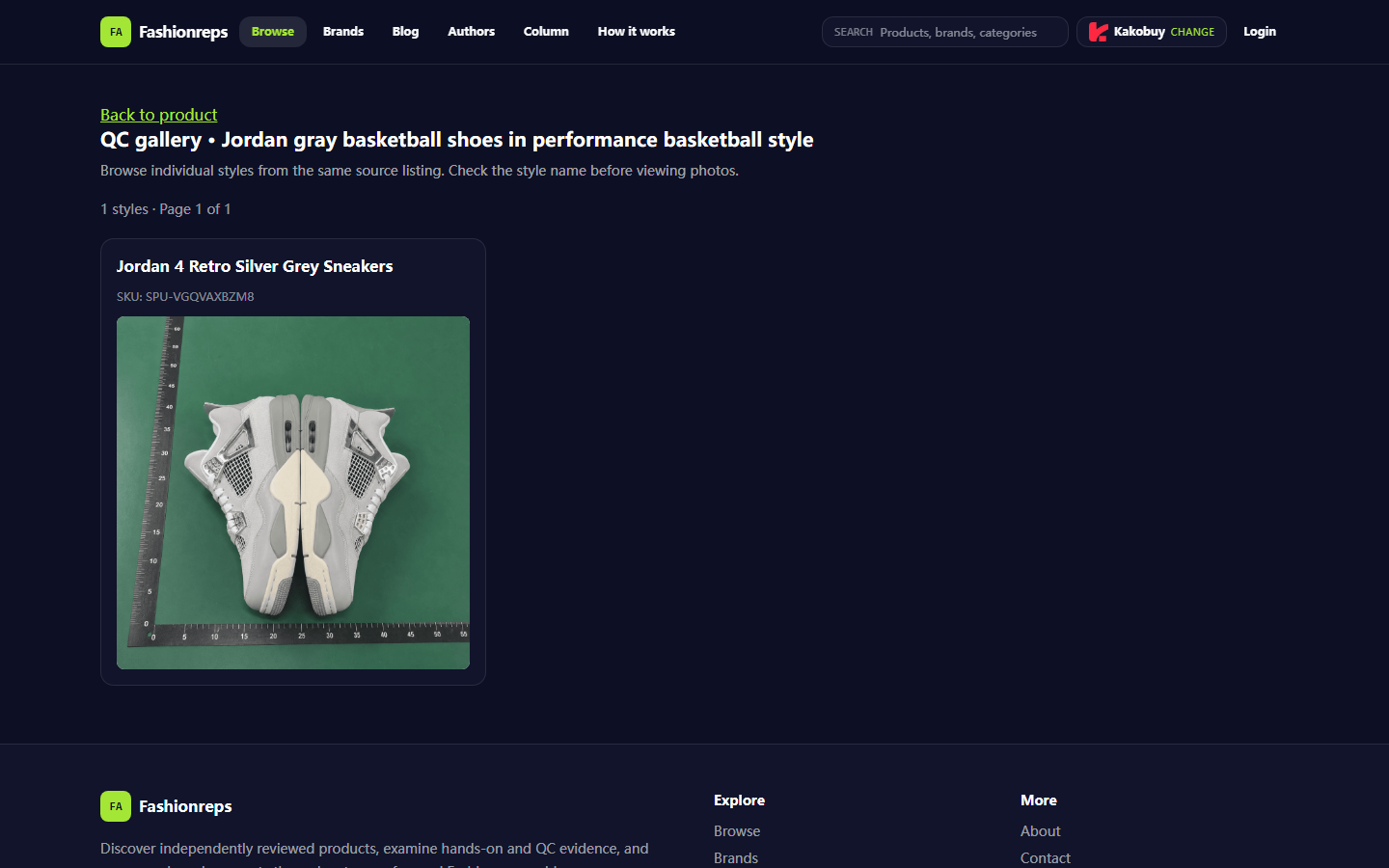
Caption: Example of QC image entry for gray basketball shoes by Jordan on a Fashionreps product page.
Clarify the Verification Task for Inconsistent jordan Shoe Information
If the same pair of jordan shoes on fashion-reps shows different styles, colors, sizes, or SKUs across the product card, detail page, order notes, or QC entry, do not place an order immediately, and do not rely solely on the main image. This article addresses only one specific issue: how to determine whether what you see is a difference in specification display, a link correspondence error, or a lack of sufficient QC evidence when product information is inconsistent.
After completing the verification, you should be able to make the following decisions:
- Information is consistent; you can proceed to order in the target size and color.
- Information is basically consistent, but key QC images are missing; you should first request supplementary evidence.
- Key fields cannot be matched, or the link does not correspond to the target style; you should pause and submit the issue to fashion-reps official support.
This article does not apply to quality disputes after receiving the physical item, nor is it for authenticity judgment, circumventing platform review, modifying order records, or requesting anyone to provide complete payment information. Do not publicly disclose order numbers, passports, bank card numbers, full shipping labels, or other personal information during the judgment 🔎
Record Style, Color, Size, and Current Link from the fashionreps Product Page
First, open the fashion-reps product page you actually intend to purchase from and create a minimal record. Do not fill it in from memory first, and do not treat the text on the search results page as the final specification.
Record the following:
- Product name displayed on the page.
- Style or series name on the product card.
- Color name and color description.
- Available sizes, and the size you intend to purchase.
- SKU, SPU, or other product numbers visible on the page.
- Full path or page location of the current product page.
- Whether the product page provides a QC entry, and the style name it points to.
- Seller or source information displayed on the page, if clearly shown.
The provided Fashionreps QC page sample shows the page title as "Jordan gray basketball shoes in performance basketball style," while also listing "Jordan 4 Retro Silver Grey Sneakers" and SKU "SPU-VGQVAXBZM8." This can only serve as a record of the currently visible fields on the page; it cannot be used to infer inventory, material, authenticity, seller fulfillment capability, or actual color. Page content may change; before formal operations, base your record on the page you currently have open, and note the verification date.
It is recommended to transcribe the color text exactly, then write your own interpretation separately. For example, if the page says "Silver Grey," do not change it to "pure gray" or "silver" in your record, as this may obscure differences between the original fields.
Compare Fields Across Product Card, Detail Page, and QC Entry
Compare the fields from different locations one by one; do not compare only the titles. You can use the following checklist:
| Field to Verify | Product Card | Detail Page | QC Entry or QC Page | Result to Confirm |
|---|---|---|---|---|
| Style Name | Page text | Page text | Page text | Whether they point to the same style |
| Color | Page text | Page text | Page text | Whether it is just a similar display or actually different |
| Size | Available sizes | Specification description | Size in QC images or notes | Whether the target size is included |
| Product Number | SKU, SPU, or other number | Specification area | QC page number | Whether the numbers correspond |
| Image Evidence | Main product image | Detail images | QC images | Whether the upper, sole, size tag, and colorway are clearly visible |
First, check whether the style names are consistent. If the product card says Jordan 4, but the QC entry only shows another series name, do not treat them as the same style just because the images look similar.
Second, check the color field. Slight differences in color names may just be differences in language or naming conventions between page fields; but if one location says gray and another says black and white colorway, or if the shoe body in the images clearly does not match the text, further verification is needed.
Third, check the size. The existence of a size option does not mean that the size you selected has been matched to the QC record. If the order notes, product specifications, and QC page do not share a common size or product number, pause the confirmation.
Finally, check the image evidence. QC images can only support the parts visible in the images, such as upper colorway, sole profile, size tag position, and obvious appearance differences; they cannot prove hidden areas, material feel, long-term durability, or authenticity. Do not write "all confirmed consistent" when it only "looks consistent" 👟
Distinguish Between Specification Display Differences, Link Issues, and Missing Image Evidence
Common situations can be divided into three categories.
First is specification display differences. The product card and detail page may use different color names or abbreviations, but the style, product number, images, and size range can correspond to each other. In this case, keep the page text as is, and confirm with official support whether the display difference affects the ordering options.
Second is link issues. The page title, product number, or QC entry points to a different style, or after opening the QC entry, the style name shown does not match the current product page. This situation cannot be remedied by relying on the main image; stop the order first, and confirm whether the current link still corresponds to the target product.
Third is missing image evidence. The text fields seem consistent, but the QC images do not show key areas, or the images are blurry, insufficient in number, or unable to confirm the size and colorway. In this case, the missing images cannot be treated as qualified evidence; only mark them as pending supplement.
When encountering a discrepancy, ask three questions first:
- Is the difference only in the wording of the name, or are the product number, images, and size also different?
- Does the QC page clearly correspond to the current product, rather than another style from the same source?
- Will the missing image change your decision to purchase?
If the answer to the third question is "yes," do not continue with payment or order confirmation. Do not test whether the page is normal by repeatedly refreshing, repeatedly submitting, or clicking purchase multiple times, as this may cause duplicate operations ⚠️
Create a Checklist Based on Product Page, Order Notes, and QC Images
It is recommended to check in the following order to avoid guessing back and forth among multiple pages:
- Copy the name, color, size options, and product number displayed on the product page.
- Record the style, color, and size you actually want to purchase; do not just write "gray Jordan."
- Open the detail area and check whether the specification text corresponds to the product card.
- Enter the QC entry and confirm that the page title, style name, and product number still correspond.
- Compare the visible upper colorway, sole, size tag, and left/right shoe information in the QC images.
- Check whether the order notes accurately state the target style, color, and size.
- Mark any fields that cannot be confirmed as "pending official confirmation"; do not fill them in yourself.
You can save the results using a brief internal record format:
- Target style: page text plus your purchase intention.
- Target color: page text, do not rename it arbitrarily.
- Target size: specific size and sizing system, if stated on the page.
- Product number: SKU or SPU visible on the page.
- QC result: consistent, name difference, product number mismatch, insufficient images, or unable to determine.
- Next step: continue, inquire further, or pause.
If you need to take screenshots for consultation, only capture the areas that illustrate the difference, and cover names, order numbers, addresses, phone numbers, payment information, and full shipping labels. Screenshots should preserve necessary evidence such as product name, product number, color, or QC page title, but not expose irrelevant personal information.
Which Information Requires Supplementary Images, Inquiry, or Pausing Operations
The following situations usually require supplementary images or text confirmation:
- The product card and QC page show different style names.
- Color names are different, and images cannot confirm whether it is the same colorway.
- The target size exists on the product page, but the QC record does not have corresponding size information.
- Product numbers are inconsistent across different pages.
- QC images do not show the size tag, sole, key colorway areas, or left/right shoe.
- Images are too blurry to support the purchase decision you need to make.
- The current page seems to redirect to another product from the same source.
You can ask specific questions to official support, for example:
"The style displayed on the product page is ..., color is ..., product number is ...; the QC page shows ... Please confirm whether these two pages correspond to the same product, and which field should be used as the basis for ordering. The current target size is ..., what QC images are still needed to confirm?"
Do not just send "information is wrong, please handle it" without being able to locate the issue, and do not ask support staff to guess hidden materials, inventory, or physical condition for you. The more specific the question, the easier it is to get a verifiable answer.
Submit Clear Issues Through the Target Site's Official Support
Use the official support entry publicly available on the fashion-reps page or the designated in-site channel to submit your issue. Before submitting, prepare:
- Product page name and current page location.
- Visible color, size, and product number on the page.
- Name or product number shown on the QC page.
- Partial screenshots that illustrate the discrepancy.
- Your clear question: confirm the correspondence, supplement images, or confirm the correct specifications.
- Verification date and your currency or destination information, if the issue involves price, shipping, or taxes.
After submission, base your actions on the official reply and page updates; do not treat third-party comments, search summaries, or other product pages as official confirmation. If the support channel requires order information, only provide the minimum necessary to resolve the issue, and continue to cover payment receipts and complete personal data.
Before receiving a clear answer, it is not recommended to repeatedly create orders, repeatedly pay, or repeatedly submit the same issue. Expiration of time does not mean the page has been confirmed, nor does it mean the order has definitely failed; first check the current order or page status, then decide whether further consultation is needed.
Decision to Proceed or Pause After Verification
When the information is consistent, you can proceed to the next step, but you should reconfirm color, size, quantity, and order notes before placing the order. Passing verification only means that the page fields and visible QC evidence correspond; it does not prove the authenticity, material, durability, or final logistics outcome of the product.
If there is only a slight difference in names, but the product number, size, images, and official reply can correspond, keep the verification record and fill in the order notes according to the officially confirmed fields.
If the key product number is inconsistent, the QC entry points to the wrong style, the target size cannot be confirmed, or key parts lack sufficient images, it is recommended to pause operations. The cost of pausing is mainly delaying the order or possibly missing short-term inventory changes; the risk of continuing includes buying the wrong style, color, or size, and lacking clear evidence for after-sales issues later.🚦
The following practices are not recommended:
- Looking only at the main image without checking style and product number.
- Treating similar colors as the same color.
- Interpreting missing QC images as images being qualified by default.
- Modifying the meaning of page fields yourself to speed up ordering.
- Publicly disclosing complete order, payment card, passport, or shipping label information.
- Testing the page by repeated clicks or repeated submissions.
The final judgment should revolve around one question: Is the current evidence sufficient to support your purchase of the specified jordan style, color, and size? If the answer is no, pausing and submitting an issue containing specific fields and necessary screenshots to fashion-reps official support is usually safer than bearing the time, refund, and communication costs of buying the wrong product.
Agent Platform Shopping FAQ
1. Why do we rely on spreadsheets to assist with shopping on yupoo.tips?
Because agent platforms typically do not display products directly, you need to use spreadsheets to search for desired items and obtain purchase links. Of course, you can also seek help on Reddit or Discord; products recommended by these communities are often of good quality, but the entire shopping process can be time-consuming. These spreadsheets are usually compiled from long-term information collection from these platforms.
2. What types of products can be found in the spreadsheets on yupoo.tips?
The website spreadsheets cover shoes, clothing, bags, accessories, jerseys, perfumes, hats, scarves, belts, and various household items.
3. What exactly are QC photos mentioned on yupoo.tips?
All dropshipping platforms have professional quality control teams. When your item arrives at the platform's warehouse, the platform conducts a quality inspection and takes QC photos. Generally, three photos are taken, and the team checks whether the color, size, specifications, and quantity of the item match your order, and also checks for quality defects. However, electronic products are an exception; only the appearance is checked. If quality issues or size/color mismatches are found, the team immediately requests a return from the seller. This ensures that you receive quality items.
4. What categories of products does yupoo.tips offer?
The website offers a wide variety of products, including shoes, T-shirts, sweaters, hoodies, jeans, sweatpants, shorts, board shorts, factory clearance items, down jackets, baseball shirts, shirts, hats, jewelry, bags, electronics, sunglasses, socks, underwear, and trendy collectibles.